Monday, November 25, 2013

Computers are life-savers

How can we use computer and communications technology to minimize the effects of calamities such as earthquakes and super typhoons?

Natural calamities and even disasters caused by man are inevitable, but closely responding to them when signals of proximity increase can still be helped through the power of technological innovation. It seems today that all can be answered through the help of computers and communications technology. Human beings are geniuses, therefore nothing shall hold us down, not even the wrath of Mother Earth.


Let us take for example the most recent devastation Central Philippines met: Super Typhoon Haiyan (Yolanda). Days before, PAGASA notified the country of a very fierce typhoon coming our way capable of inducing a storm surge. Just by this, we can formulate a lot of questions already. (1) How did PAGASA become aware of this super typhoon? (2) What in the world is a storm surge? There is only one answer for these: computers.


Government agencies like PAGASA, though not state of the art, depend highly on the functions of computers and technology to monitor the forming, movement, and what-have-you of natural phenomena from low pressure areas to super typhoons, and by PHIVOLCS  from volcanic eruptions to earthquake intensities, and so on. The second question is answered when one look it up a search engine through a computer. Confusion was one of the reasons why residents in the affected areas have not prepared as much as they should have.Through computers and communications technology, there will be awareness promotion spread throughout. As long as internet connection is provided and phone signals are strong, then people should have no excuse to not know what to do during calamities.


By now you can tell that without the invention of computers and communications technology, things would have been worse and totally out of hand. Nobody could have the least bit prepared for it, people could be leisurely spending their time at home without any preparations whatsoever. Those affected, without cellphones and recording devices, could not have let the whole world encounter the real deal during the typhoon's landfall. And after that, relatives lost could have never been found if telecommunication companies and news outfits didn't cover them.


We have a lot to thank computers for. Some lives may not have been saved when the need arose, but a multitude more have been spared because of this heaven-sent technology.

Tuesday, November 12, 2013

Importance of becoming computer literate and computer competent

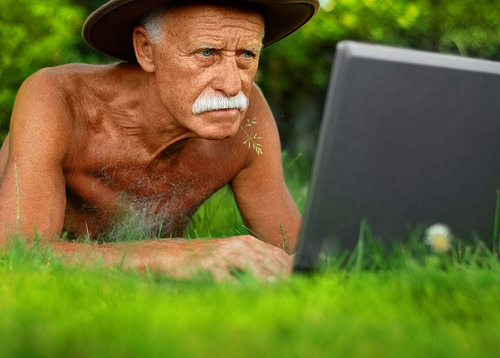
In this ever changing fast-pacing world we live in, a person would be called nonexistent in a few years' time if he has no traces in the digital spectrum. Of course, being computer literate starts once a man finds interest in it, regardless of age and status. My parents, for example, are embracing the magnificence of the new technology even when they only know the basics. No one is exempted from not learning how to operate a computer. In this digital age, one is left behind and will be missing out on lots of opportunities if he is afraid of exploring a 'complicated' device of softwares and viruses.

http://media.tumblr.com/tumblr_lugqgoFgI51qb00dd.jpg


A computer literate and competent individual means he has sufficient knowledge about the patterns of a computer. He is familiar in writing documents, presentations, spreadsheets, and the like. He has several accounts made in the social media world with creative usernames and numbers in them. He is aware that downloading free stuff on the internet over torrent or whatsoever is illegal and is called stealing in layman's term. He makes sure to log out his personal account when in a public computer because hacking is a dirty business to face. He also resists clicking on popping messages that congratulate him for being the 70,093,260th visitor and therefore wins the Empire State Building.

Knowing all these and more entails one to be computer literate and competent in using it as almost everything we encounter everyday is produced with a computer. A person who is computer literate has a large advantage over somebody who isn't. More job opportunities will be open for this person, thus promoting him from whatever career path he may have gone to. There will be no excuses not to communicate to another and be informed in the latest happenings because it is just literally a few clicks away. We may not know how to assemble a computer per se but what is important is to learn the twists and turns in a device such as a computer.


Sunday, September 8, 2013

All about editing

Cuts, shots, scores. All of these fall under a magical compilation called Video Editing. This part of the post-production is the primary activity wherein the success of the whole pre- and production is seen. The beauty of  the film lies within the techniques and smoothness of ne process. Video editing is important for it values behind-the-camera processes and the people responsible for it. We experience visually the effort and brilliance of the makers of the film through this editing.

With video editing, so much outputs can be brought to life. Films, music videos, wedding and debut videos, video presentation s for a report, advertisements, TV shows, and many many more are outputs of video editing.


Here are some of the editing techniques an editor and the director must specially know:

1. JUMP CUT 

- Cutting a scene from one range to another in a same visual axis.
Jump cuts are jarring and disconcerting, and pretty much unacceptable, unless that is the effect you want for narrative reasons. Jump cuts can also be used to compress time.


2. CUTTING TO AN EMPTY FRAME AND LETTING THE SUBJECT ENTER THE FRAME.

- This is generally cutting on action to a smooth transition. In this, we cut from one shot to another, just an action is taking place.


3. CUT AWAY

- Inserting shots which are far from the real action or a shot of a subject which is not in the main scene. Shoot many cut away shots especially in shooting documentaries and interviews.


4. THE 180 DEGREE RULE

- The camera must stay on only one side of the actions and objects in a scene. An invisible line, known as the 180 DEGREE LINE or AXIS OF ACTION, runs through the space of the scene. The camera can shoot from any position within one side of that line, but it may never cross it.


5. MONTAGE


-This includes a rapid succession of different images that all tend to be associated with a specific idea. Normally these montages combine many different pictures. These montages are used in film, TV and video all the time as most title sequences of films are montages. The power of the montage comes from showing many images instead of a single picture.


REFERENCES:
1. http://www.lavideofilmmaker.com/filmmaking/film-editing-tips.html
2. http://www.slideshare.net/JaneenGatty/camera-movement-and-editing-techniques
3. http://www.steves-digicams.com/knowledge-center/how-tos/film-and-video-production/post-production-8-tips-for-editing-montages.html#b

Sunday, September 1, 2013

Film Review: HUGO

Hugo Cabret (Asa Butterfield) and George Melies (Ben Kingsley) first struck a conversation when the boy steals machinery pieces in order to revive a broken automaton, which was the only living tangible memory Hugo has with his late father. The film then introduces the casts by Hugo peeking behind a great clock, usually behind the no. 4. One thing led to another when the time came for Hugo to learn that the automaton was first brought to life by George Melies himself, the grumpy old man behind his toy store counter. With the help of Melies goddaughter, Isabelle (ChloĆ« Grace Moretz), Hugo will learn that the automaton doesn't contain a hidden message from his late father. Eventually, Hugo and George reconciled each other as they discover together the past and the reawakened best kept past.

What I loved about Hugo is its beautiful cinematography. Surely, you will go to an exciting adventure with this film and it is all because of the visuals. From the very beginning establishing shots to the last, Hugo didn't fail to capture the film's audience. This factor is the backbone of this film. With only its cinematography and as well as the lighting, Hugo can be one of the best, in shots and in visual effects. Scenes were mostly shot in a studio, but it paid well and done justice coerced with computer-generated effects to stun its viewers.

Photo by Jaap Buitendijk – © 2011 GK Films. All Rights Reserved.

True people like George Melies and his story on the birth of films being included as the one of the main story lines is definitely a double plus. The monumental moon in one of Melies' films is only a depiction on how wonderful Melies' mind works. His creativity had become a vital aspect as he continues to search ways in producing films while war goes on at that time. 

Although with the film's history-based story line, loopholes can be distinguished. Aside from the factual mistakes like time of an event's occurrence and the location of famous landmarks in the film, there are weird and irrelevant parts, too. One of these is how Hugo so much revolved around his father and his last memory, and actually became an overrated part of the film. This, only to find out, was only a minor detail in the connection of the main story of Hugo and Melies. It lost the importance of Hugo's late father, as the film established greatly on how Hugo's father came across the automaton. And in the end, the audience didn't understand the relevance of Hugo's father's great existence in the film. Another loophole I caught was the faulty continuity of the shots. The obvious, I guess, is in this one scene where Hugo finds the end tail of the key buried in a train track on the first frame. Next frame shows the whole key atop a wood plank of the train track. Others need a keen eye in spotting them, but it's still faulty either way.

Director Martin Scorsese's Hugo takes you to this historical-based adventure where reality does not seem so much as so. George Melies' prowess in the development of the film era is to say an understatement. Melies, in person, with his undeniable wildly creative mindset bursting with talent is highly commendable. All of these elements and more accompanied by a capturing musical scoring all throughout the film worked. 

For this film, I'll give it 8.5/10. It's not the most perfect and error-free film, but the visuals saved it over-all and perhaps, my amazement at George Melies' intelligence as well. 

Monday, August 5, 2013

Different Shot Types

If you want to tell a story, you need to learn the basics first.
Here is a video showing the different basic types of shots you can do with your camera:


Those were the:
1. Extreme Long Shot - mostly used for establishing the scene
2. Long Shot - capturing the whole body
3. Medium Shot - capturing half of the body
4. Medium Close-Up - also called the 'bust shot'; capturing until the chest area
5. Close-Up Shot - mainly focuses on the head
6. Extreme Close-Up - zooming in really closely on something
7. Cut-In - showing a subject within the scene
8. Cutaway - showing a subject not part of the main scene
9. Over-the-Shoulder - capturing the back of one of the subjects while viewing somebody else facing the camera
10. Cross Shot - capturing the subject away from the camera or diagonally
11. Two Shot - includes two people in the frame
12. Three Shot - includes three people in the frame; may form a triangle
13. Group Shot - includes four or more people in the frame

(3) Vectors:
1. Graphic vector - lines point somewhere
2. Motion vector - there is a moving object
3. Index vector - literally pointing somewhere


While deciding whether or not to use this type of shot or not, you also need to take into account some "rules" in videography. There are the rule of thirds, proper exposure, headroom, breathing space, and what have you. But of course, you may always break the rules. Show your creative side and find those perfect angles!


Friday, July 26, 2013

DSLR Settings "Jargons"

Learning DSLR camera jargons in a very uncomplicated way!

First, let's break down technical terms in the digital world:

1. SHUTTER SPEED - Adjusting this makes it possible for moving subjects to be sharp in a photo or if you want the effect to be blurry in nature. You may achieve this by adjusting a dial in your DSLR camera.
           
            Remember: *The higher the number (i.e. 1/250) = the darker the photo; sharper photo
                              *The lower the number (i.e. 1/1.5) = the brighter the photo; more blurred                         

                                      So you must adjust the other settings to fit a proper exposure.

Shutter speed: 1/250; F-stop: f/5.6; ISO-6400

Shutter speed: 1/8; F-stop: f/22; ISO-6400

*Camera used: Canon EOS 1100D


2. F-STOP/APERTURE - Opening of a camera's aperture to permit light, similar to our human iris. If you want to create a photo with either a shallow or wide depth of field, this is what you need to adjust. You may adjust this by pressing the f-stop button AND rotating the dial.

                 Remember: *The lower the F-stop (i.e. f/2.8) = the larger the opening of the lens;                                                  exposure is brighter; more shallow depth of field
                                    *The higher the F-stop (i.e. f/22) = the smaller the opening; exposure is                                               darker; greater depth of field


Shutter speed: 1/1250; F-stop: f/5.6; ISO-3200
 
Shutter speed: 1/60; F-stop: f/32; ISO-3200
 *Camera used: NIKON D3100


3. ISO - This is simply the sensitivity to light. This darkens or brightens a photo exposure. To adjust, find the ISO menu and from there, choose the ISO number.

     Remember: *The lower the ISO (i.e. ISO-100) = darker the photo; lower noise quality
                        *The higher the ISO (i.e. ISO-3200) = brighter the photo; higher noise quality


Shutter speed: 1/4; F-stop: f/25; ISO-200

Shutter speed: 1/50; F-stop: f/25; ISO-3200

*Camera used: Canon EOS 1100D


-----------------------------------------------
Any questions? :)

Photos are all taken by me. ©

Friday, July 12, 2013

Five types of lenses

#1: WIDE ANGLE LENSES


DESCRIPTION: Traditionally, a super wide-angle lens is classified as anything under 20mm. Wide-angle is 21-35mm. With the advent of digital cameras, and the APS-C format, camera manufacturers have also started producing specific lenses for this format. Wide-angle lenses for crop frame DSLRs range from 10-24mm, with a few going down to a super wide 8mm.


USAGE:  Photographing landscapes and architecture, although they are often also used for photographing large groups of people. 


#2: STANDARD LENSES


DESCRIPTION: A standard lens has a focal length range of 35-70mm. The most common standard lens is a fixed 50mm lens.


USAGE: Standard lenses are most commonly used for documentary and street photography, where photographers need to move quickly and capture an interesting point of action. Pioneers of modern street photography, such as Henri Cartier-Bresson, always used a 50mm lens, choosing to move themselves around so as to best frame an image.


#3: MEDIUM TELEPHOTO/PORTRAIT LENS


DESCRIPTION: The focal range between 80-135mm is nearly always used by portrait photographers. These are specialist lenses, but can be surprisingly reasonably priced. 


USAGE: Fixed lenses at these lengths produce ideal framing for head and shoulders shots. 


#4: TELEPHOTO


DESCRIPTION: Any lens with a focal length of between 135mm and 300mm is a true telephoto lens. Manufacturers make a huge range of lenses in this range ... at an equally large range of prices!

USAGE: Telephoto lenses are traditionally used for sports and wildlife photography, but their essential function is to bring distant objects closer.


#5: SPECIALIST LENSES

A) Super Telephoto


DESCRIPTION: These have a focal length of more than 300mm

USAGE:  Used by dedicated sports and wildlife photographers. 


B) Macro 


DESCRIPTION: These lenses are able to focus closer to an object than normal lenses, offering a 1:1 ratio.

USAGE: They are used for still-life photography of small objects. These lenses are specifically designed for shooting objects up close.


C) Fisheye 


DESCRIPTION: These are on the edge of wide-angle lenses, and give a distorted view of the subject matter. 

USAGE:  The center of the image is magnified, and objects diminish in size in all directions around it.  


-----------------------------------------------------------------------------------

REFERENCES

1. Types of Camera Lenses: Understanding Various Lenses and Their Functions by Jo Plumridge (http://cameras.about.com/od/advanceddigitalcameras/tp/types-of-camera-lenses.htm)
2. DSLR Lenses – An Introduction by Darren Rowse (http://digital-photography-school.com/an-introduction-to-types-of-dlsr-lenses)